![SprintSuite_Logo_Primary(RGB).png]](https://www.sprintsuite.com.au/hs-fs/hubfs/SprintSuite_Logo_Primary(RGB).png?height=40&name=SprintSuite_Logo_Primary(RGB).png)
Navigate to Settings and select the 'Data Import' tab.
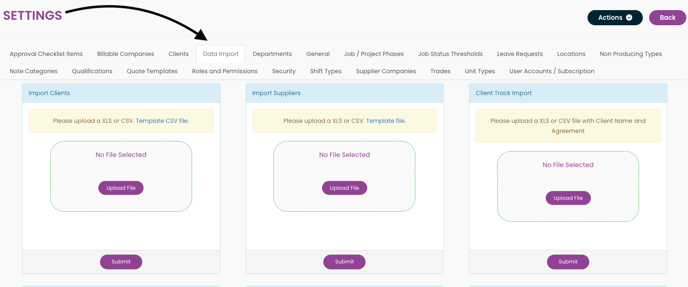
In the Data Import tab, choose the category you wish to bulk upload, such as Clients, Suppliers, Vehicles, or Staff Rates. You will find several options available.
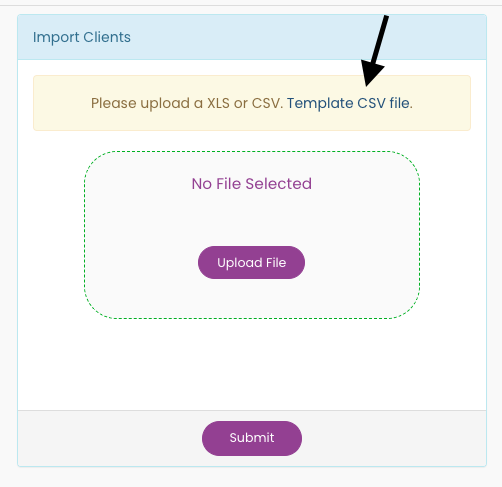
Select the appropriate template and download it. Enter your data into the template, then upload the completed file and click Submit.
A message box will pop up indicating that the process is complete. You can then go to the tab where you uploaded the data to verify that it has been imported.